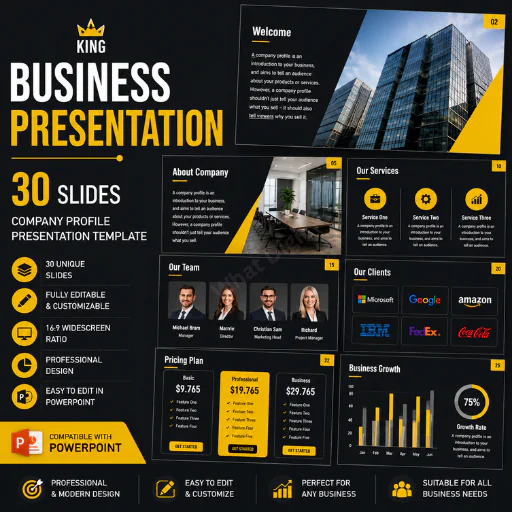






Create a polished, professional business presentation without starting from a blank PowerPoint slide. This 30-slide Business Presentation PowerPoint Template is designed for companies, startups, agencies, consultants, entrepreneurs, sales teams, and business professionals who need a structured way to present their company, services, business strategy, team, clients, pricing, performance, and future plans.
The presentation follows a clean corporate visual style with a predominantly white background, dark charcoal/black typography, gray geometric elements, and green accent details. The restrained color palette gives the deck a professional and modern appearance while allowing your own brand colors, photographs, charts, and content to stand out.
The actual PPT includes company-profile sections such as Welcome, About Company, Company Value, Business Plan, Services, Clients, Pricing, Team, Gallery, CEO, charts, infographics, SWOT analysis, and closing/Thank You slides. The file also contains visual layouts suitable for business storytelling, data presentation, service explanation, team introduction, and corporate communication.
What Is This Business Presentation Template?
A business presentation is more than a collection of attractive slides. A good presentation should communicate who you are, what your company does, why customers should choose you, how your business operates, and where the company is going.
This PowerPoint template provides a ready-made framework for doing exactly that.
Instead of spending hours designing layouts for your company profile, service pages, team profiles, pricing information, business plans, charts, and closing slides, you can use the existing slide structures and replace the sample content with your own information.
The presentation begins with a Business Presentation cover and introductory messaging, then moves through company information, business positioning, services, clients, business planning, pricing, team information, visual content, data-driven slides, and a final thank-you section.
This makes it suitable for both internal and external business communication.
Presentation Structure
The 30-slide deck provides a broad range of layouts for building a complete corporate presentation.
1. Business Presentation Cover
The opening slide introduces the presentation with a professional corporate cover layout. Use it for your company name, presentation title, subtitle, date, presenter name, or event information.
2. Welcome Slide
A dedicated Welcome slide provides a natural transition from the cover into the main presentation. It can be used to introduce the organization and establish the purpose of the meeting.
3. About Company
Explain the background of your organization, including what the company does, its market position, and the type of customers or organizations it serves.
The template is particularly appropriate for company profiles because the content structure focuses on explaining not only what a company sells but also the reason behind its products or services.
4. Company Story & Background
Use this section to tell your company's story. Explain how the organization started, important milestones, and the journey that shaped the current business.
5. Company Values
The Company Value layout allows you to present the principles that guide your organization. You can use it for values such as integrity, innovation, customer focus, accountability, quality, sustainability, or collaboration.
6. Business Overview
Present a concise overview of your business model, market, operations, products, services, and competitive position.
7. Business Plan
The Business Plan section can be adapted for strategic priorities, growth plans, operational objectives, market expansion, or company development.
8. Business Strategy
Use structured content blocks to explain your strategic direction, key initiatives, business objectives, and priorities.
9. Services Overview
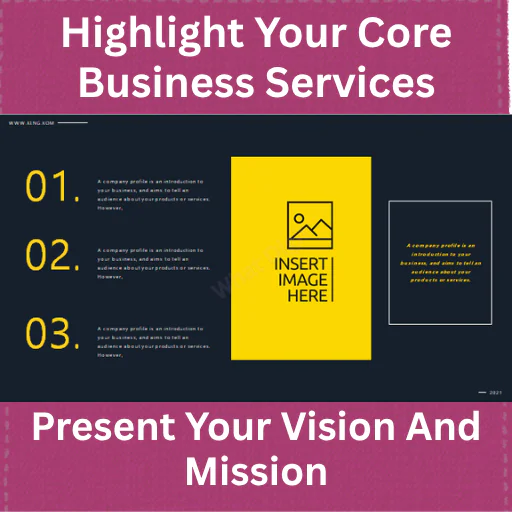
Introduce your major products or services using clean service-focused layouts.
10. Service Details
The template includes layouts that can be adapted to present individual services, including separate areas for multiple service offerings.
11. Client Overview
Present your customer segments, important client groups, or target markets.
12. Client Categories
The presentation includes layouts referencing Client, Public Business, and Partner Business, which can be adapted to explain different stakeholder or customer categories.
13. Company Profile / Business Information
Use a flexible profile slide to communicate important information about your organization.
14. CEO / Leadership
A dedicated CEO layout can introduce your company's leadership. The included sample content contains a CEO profile layout, demonstrating how an executive introduction can be structured.
15. Team Introduction
Present your management team or employees with individual profile areas.
The sample deck includes a My Team layout featuring multiple team-member placeholders, making it easy to replace the sample names and information with your own team details.
16. Team Profile
Use another team-oriented layout for departments, leadership groups, project teams, or key personnel.
17. Pricing
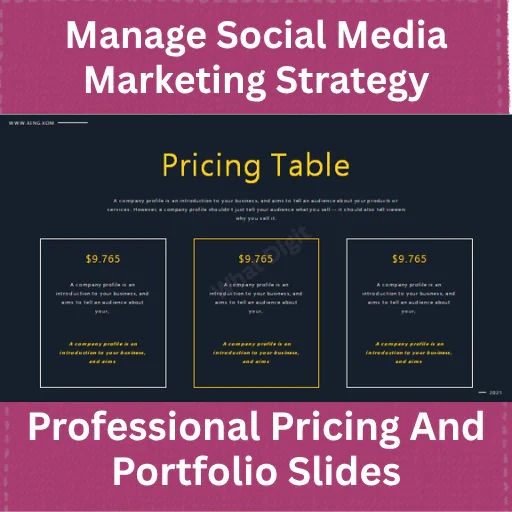
A dedicated pricing slide helps communicate packages, plans, service tiers, or commercial offerings.
The source presentation includes a pricing layout with multiple price levels and supporting comparison information.
18. Portfolio / Work Showcase
Show completed projects, selected work, case studies, products, or important company achievements.
19. Gallery
The Gallery slide can be used for company photography, project images, product photographs, office images, team pictures, or visual portfolio content.
20. Visual Storytelling
The deck provides image-focused layouts that can help you reduce text and communicate concepts visually.
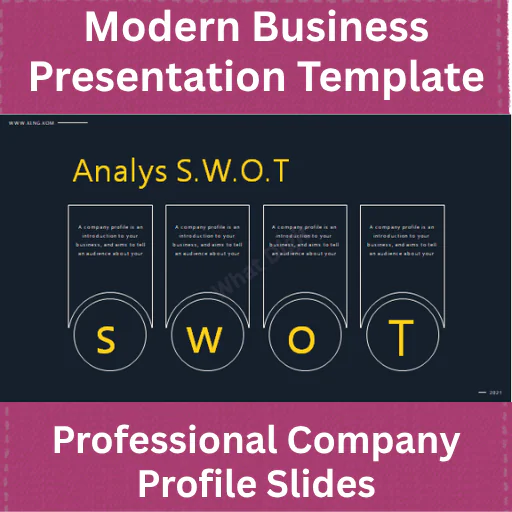
21. SWOT Analysis
A dedicated S.W.O.T. Analysis layout allows you to organize Strengths, Weaknesses, Opportunities, and Threats in a structured business-analysis format.
22. Data Chart
Use the chart layouts to communicate business performance, sales results, market data, financial information, customer statistics, or other measurable KPIs.
The source presentation includes editable chart examples with monthly data and multiple data series.
23. Infographic
Visual infographic layouts provide an alternative to conventional text-heavy business slides. They can be used for statistics, processes, comparisons, milestones, or business highlights.
24. Percentage / Data Visualization
Use percentage-based layouts for KPIs, growth rates, market share, conversion rates, customer satisfaction, or operational metrics.
25. Business Performance
Combine charts, numbers, and supporting text to communicate business performance.
26. Company Information
Use flexible content layouts for additional corporate information, achievements, capabilities, or business highlights.
27. Additional Service / Company Slides
The deck includes multiple layouts that can be reused and rearranged according to your presentation requirements.
28. Closing Business Slide
Bring the main presentation to a clear conclusion with a professional closing layout.
29. Contact / Final Information
Add your website, email, phone number, social media profiles, office address, or other contact information.
30. Thank You
Finish the presentation with a clean Thank You slide. The source file includes a closing thank-you layout.
Professional Color Theme & Design
The presentation uses a minimal corporate color system rather than an overly colorful or decorative design.
The primary visual foundation is white, which keeps the slides spacious and readable. Black and dark charcoal typography provides strong contrast for headings and body content. Gray geometric shapes and blocks add structure and visual hierarchy, while green accent elements can be used to highlight important information and create visual separation.
This combination works particularly well for:
The visual language is intentionally restrained so that you can easily adapt the deck to your company's branding without rebuilding the layouts.
Key Features30 Professional PowerPoint Slides
A complete 30-slide business presentation framework covering company introduction, business information, services, clients, pricing, team, strategy, analysis, charts, visuals, and closing content.
Corporate Company Profile Structure
The presentation can be used to build a complete company profile rather than simply a collection of unrelated slide designs.
Business Plan & Strategy Layouts
Use the strategic slides to communicate business objectives, plans, priorities, and growth direction.
Service Presentation Slides
Showcase individual services and explain what your organization offers.
Client & Stakeholder Slides
Present customers, partners, public businesses, target groups, or stakeholder categories.
Team & CEO Slides
Introduce executives, managers, employees, departments, and project teams.
Pricing Layout
Present multiple pricing packages, service plans, subscriptions, or commercial offerings.
Portfolio & Gallery
Showcase completed projects, products, photography, case studies, or company achievements.
SWOT Analysis
Evaluate the company's strengths, weaknesses, opportunities, and threats.
Charts & Infographics
Present data using charts, percentages, and infographic-style layouts instead of relying entirely on paragraphs.
Flexible Business Layouts
The same slides can be reused for different industries because the sample company content can be replaced with your own.
Why Use This Template?
Building a professional business presentation from scratch takes time.
The difficult part isn't writing a title like "About Us." The difficult part is deciding how that information should be structured visually, where images should go, how much text belongs on each slide, how to present services, how to display pricing, and how to make data understandable.
This template solves much of that structural work.
You can start with the existing slide framework, remove the sample text, add your company information, replace the photographs, adjust the colors, and rearrange the slides to match your presentation objective.
For example, a consulting company could use:
Cover → Welcome → About Company → Values → Services → Business Strategy → Clients → Case Studies → Team → Pricing → SWOT → Performance → Contact
A startup could instead use:
Cover → Company → Problem → Business Plan → Services → Market → Clients → Strategy → Team → Growth → Data → Contact
The template is flexible enough to support both approaches.
Best For
This Business Presentation PowerPoint Template is suitable for:
Who Should Use This?Business Owners
Use it to create a professional company profile for customers, partners, investors, or internal stakeholders.
Startup Founders
Present your startup's business model, services, team, strategy, market, and growth plans.
Consultants
Use the layouts for consulting proposals, strategy presentations, business reviews, and client meetings.
Marketing Teams
Present marketing initiatives, business performance, client information, campaigns, and strategic plans.
Sales Teams
Create company introduction decks, sales presentations, client proposals, service presentations, and business overviews.
Corporate Management
Use the presentation for internal strategy meetings, leadership presentations, business reviews, and planning sessions.
Practical Use Cases
You can customize this PowerPoint deck for:
Company Profile Presentation
Introduce your organization, history, values, services, team, clients, and achievements.
Business Proposal
Explain your company, services, value proposition, pricing, portfolio, and proposed solution.
Sales Presentation
Present your company and services to prospective customers.
Corporate Pitch Deck
Build a concise business story around your company, strategy, market, team, and opportunities.
Business Plan Presentation
Communicate business objectives, plans, strategy, financial information, and growth opportunities.
Agency Presentation
Show services, portfolio, clients, team, pricing, and capabilities.
Investor Presentation
Adapt the company, strategy, market, financial, and growth slides to create an investor-oriented deck.
Management Presentation
Present business performance, SWOT analysis, strategic priorities, team information, and future plans.
Case Study: How a Small Business Could Use This Deck
Imagine a growing digital services company preparing for a meeting with a potential corporate client.
Instead of sending the prospect a long document full of paragraphs, the company could create a structured presentation using this template.
The first slides introduce the company and explain its background. The Company Value slide establishes the organization's principles. Service slides explain what the company provides. Client and portfolio slides demonstrate credibility. The team section introduces the people responsible for delivery. Pricing communicates commercial options, while the SWOT and chart layouts can provide strategic or performance information.
The final slides provide contact details and a clear call to action.
The result is a much more structured communication experience than sending disconnected information in emails or documents.
Files Included
1 × Business Presentation PowerPoint file
30 professionally structured PowerPoint slides
The presentation includes layouts for:
The source file itself contains the business-profile, service, pricing, team, gallery, chart, infographic, SWOT, and closing layouts described above.
Important Notes
This is a PowerPoint presentation template, not a finished presentation customized for one specific company.
The sample company information, names, website text, prices, statistics, and other placeholder content should be replaced with your own information before commercial or professional use.
For example, the source file contains sample branding such as KING, a sample website, sample CEO/team names, and example pricing/data. These are demonstration content and should not be treated as factual information about the buyer's company.
The deck also contains sample charts and data, so replace those figures with your own verified business data before presenting them to clients or stakeholders.
Frequently Asked Questions1. What is included in this product?
You receive a 30-slide Business Presentation PowerPoint template designed for company profiles, business presentations, services, strategy, team information, clients, pricing, portfolio, charts, SWOT analysis, and closing content.
2. Is this a company profile PowerPoint template?
Yes. The structure is particularly suitable for creating a company profile presentation because it includes company introduction, company background, values, services, clients, team, CEO, portfolio, pricing, and other corporate sections.
3. Can I use it for a startup presentation?
Yes. Startup founders can adapt the Business Plan, Company, Services, Client, Team, Pricing, Strategy, Chart, and other layouts for startup presentations.
4. Can I use it for a business proposal?
Yes. The slides can be rearranged into a proposal structure covering your company, services, capabilities, clients, portfolio, pricing, and next steps.
5. Does it include charts?
Yes. The presentation contains chart-based layouts, including example bar-chart and pie-chart visualizations.
6. Does it include a SWOT analysis?
Yes. A dedicated SWOT Analysis slide is included.
7. Is there a pricing slide?
Yes. The presentation includes a pricing layout with multiple pricing levels and supporting information.
8. Can I introduce my team?
Yes. Dedicated team layouts are included, including a multi-person team profile layout.
9. Is there a CEO slide?
Yes. A dedicated CEO introduction layout is included.
10. Can I showcase my portfolio?
Yes. The Gallery and visual presentation layouts can be customized for portfolio projects, products, case studies, photography, and completed work.
11. What type of businesses can use this template?
Almost any business can adapt it because the structure is not restricted to one industry. It can be customized for technology, consulting, marketing, finance, professional services, agencies, startups, retail, education, and many other sectors.
12. Can I change the colors?
The deck's corporate white, charcoal/black, gray, and green visual system can be adapted to your brand identity.
13. Can I replace the sample company information?
Yes. You should replace the sample company name, website, names, pricing, statistics, images, and other demonstration content with your own information.
14. Can I use the template for client meetings?
Yes. Its combination of company profile, services, clients, team, pricing, portfolio, charts, and business information makes it suitable for client-facing presentations.
15. Is this suitable for management presentations?
Yes. The strategy, business plan, SWOT, chart, team, company value, and business information layouts can be adapted for management and internal business presentations.
16. Can I create a sales deck from it?
Yes. A sales team can reorganize the slides around company introduction, customer needs, services, value proposition, portfolio, pricing, and contact information.
17. Is the presentation suitable for consultants?
Yes. Consultants can use it for business proposals, strategic presentations, company introductions, client meetings, and business reviews.
18. Does the presentation include a closing slide?
Yes. The source file contains a final Thank You / closing layout.
19. Is this a finished company presentation?
No. It is a reusable PowerPoint template. You need to customize the placeholder content and branding for your company.
20. Why is this useful?
Because it gives you a structured starting point for creating a professional business presentation without designing every slide from scratch. It combines company profile, services, strategy, team, pricing, portfolio, data visualization, SWOT, and closing layouts in one cohesive presentation system.
Published:
Aug 28, 2026 07:09 PM
Category:
Tags: